

AI Chat needs the Enterprise plan on Vidoc Cloud. Included in self-hosted installations.
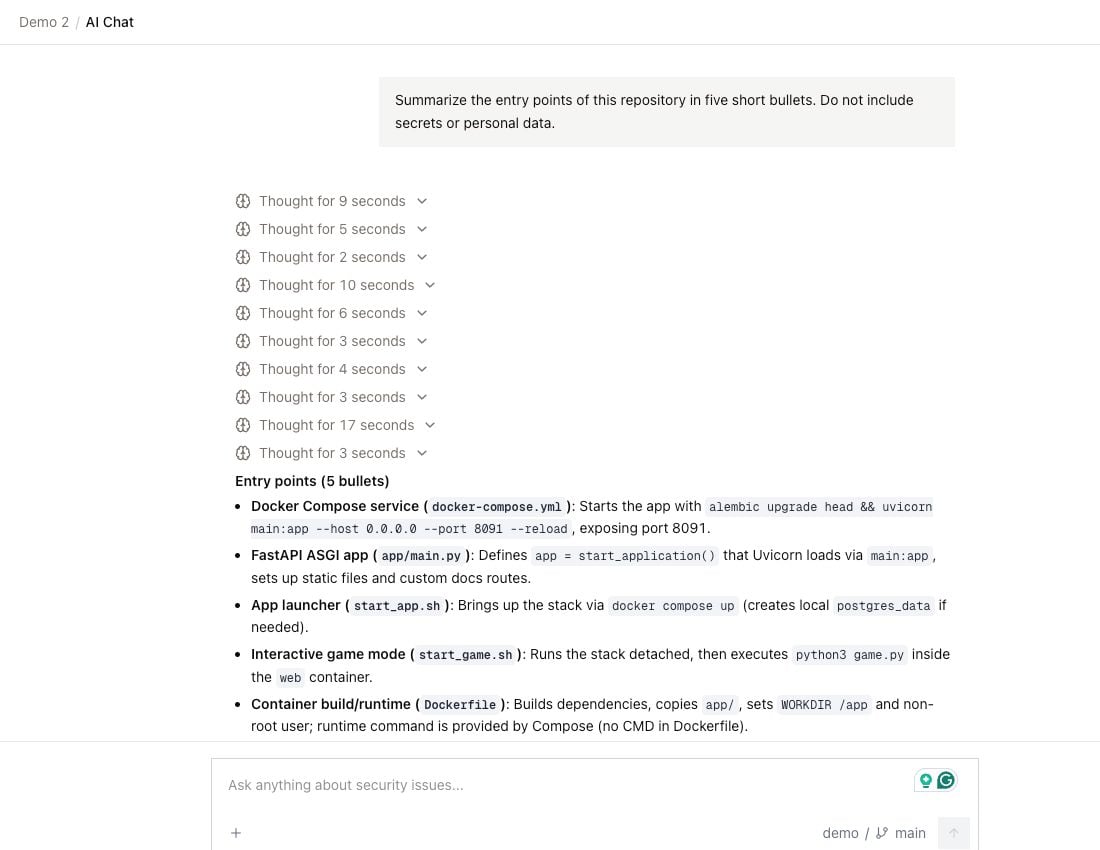
Start a chat
- Click AI Chat in the sidebar.
- Select a repository (Select codebase) and a branch (Select branch). The branch must be scanned.
- Type your question, then send it.
What AI Chat can use
- It reads files only from the repository and the branch that you selected for the chat. It cannot read other repositories.
- It knows about a finding only when you attach the finding to the chat.
- It does not use Memory.
- It cannot change code, findings, or Memory.
Manage chats
Your chats are private. Other users cannot see them. Your chats show under Recent chats in the sidebar. You can rename and delete a chat from its menu. To find a chat, click the search icon next to Recent chats.AI Chat and the Vidoc bot in pull requests
AI Chat and the Vidoc bot in a PR are different:
For the bot, refer to Commands and questions. On Vidoc Cloud, you can also ask Vidoc questions in Slack.