

Insights needs the Enterprise plan on Vidoc Cloud. Included in self-hosted installations.
Select projects
Use the project picker at the top of the page. Select one or more projects, or All projects. Insights shows only the projects that you have access to.Widgets
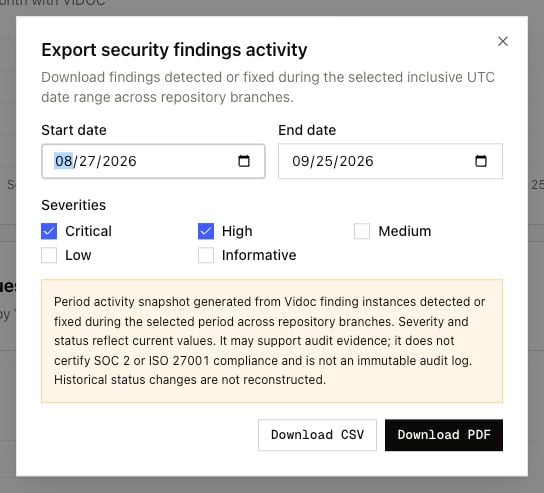
Export a report
- Click Export report.
- Set Start date and End date. The range can be 366 days or less. Dates are in UTC and include the first and the last day.
- Select the Severities. Critical and high are selected by default.
- Click Download CSV or Download PDF.
- Too many findings: select a shorter date range or fewer severities.
- No qualifying findings: no findings match the date range and the severities.
- The PDF is too large: select fewer findings, or download the CSV.